

Hey there! As a torque tester supplier, I often get asked about the software needed to connect a torque tester to a computer. It's a crucial aspect for those looking to streamline their torque testing processes and gather accurate data efficiently. In this blog, I'll break down the types of software you might need and why they're important.
Why Connect a Torque Tester to a Computer?
Before we dive into the software, let's quickly talk about why you'd want to connect your torque tester to a computer in the first place. When you connect a torque tester to a computer, you can automate data collection, which saves you a ton of time and reduces the risk of human error. You can also analyze the data more effectively using software tools, generate detailed reports, and even integrate the data with other systems for a more comprehensive view of your manufacturing or testing processes.
Types of Software for Connecting a Torque Tester to a Computer
1. Manufacturer - Specific Software
Most torque tester manufacturers provide their own software for connecting their devices to a computer. This software is designed to work seamlessly with their specific models of torque testers. It usually comes with features tailored to the capabilities of the tester, such as real - time data visualization, customizable test profiles, and easy - to - use interfaces.
For example, if you're using our torque testers, our software allows you to set up different test parameters, like the maximum torque limit and the test duration. It then records all the data during the test and presents it in a clear graph or table. You can also save the test results for future reference or share them with your team.
2. General - Purpose Data Acquisition Software
If you're looking for more flexibility or if you have multiple types of testing equipment (not just torque testers), general - purpose data acquisition software might be a good option. Software like LabVIEW or National Instruments' DIAdem are well - known in the industry.
These software packages can handle data from a wide range of sensors and devices. They offer advanced programming capabilities, so you can create custom applications to suit your specific needs. For instance, you could write a program to automatically analyze the torque data and trigger an alarm if the torque values go beyond a certain threshold.
3. Third - Party Analysis Software
Once you've collected the torque data, you might want to use third - party analysis software to dig deeper into the results. Software like Microsoft Excel or Minitab can be used for basic statistical analysis. You can calculate averages, standard deviations, and create histograms to understand the distribution of the torque values.
For more advanced analysis, software like MATLAB is a powerful tool. It allows you to perform complex mathematical operations on the data, such as curve fitting and spectral analysis. This can help you identify trends and patterns in the torque data that might not be obvious at first glance.
Considerations When Choosing Software
When choosing the software to connect your torque tester to a computer, there are a few things you should consider:
Compatibility
Make sure the software is compatible with your torque tester model and your computer's operating system. Some software might only work with Windows, while others are available for both Windows and macOS.

Ease of Use
If your team members are not very tech - savvy, you'll want to choose software with an intuitive interface. Look for software that has a short learning curve and provides clear instructions.
Features
Think about the features you need. Do you need real - time data monitoring? Customizable test profiles? Advanced analysis capabilities? Make a list of the must - have features and choose software that meets those requirements.
Integration with Other Equipment
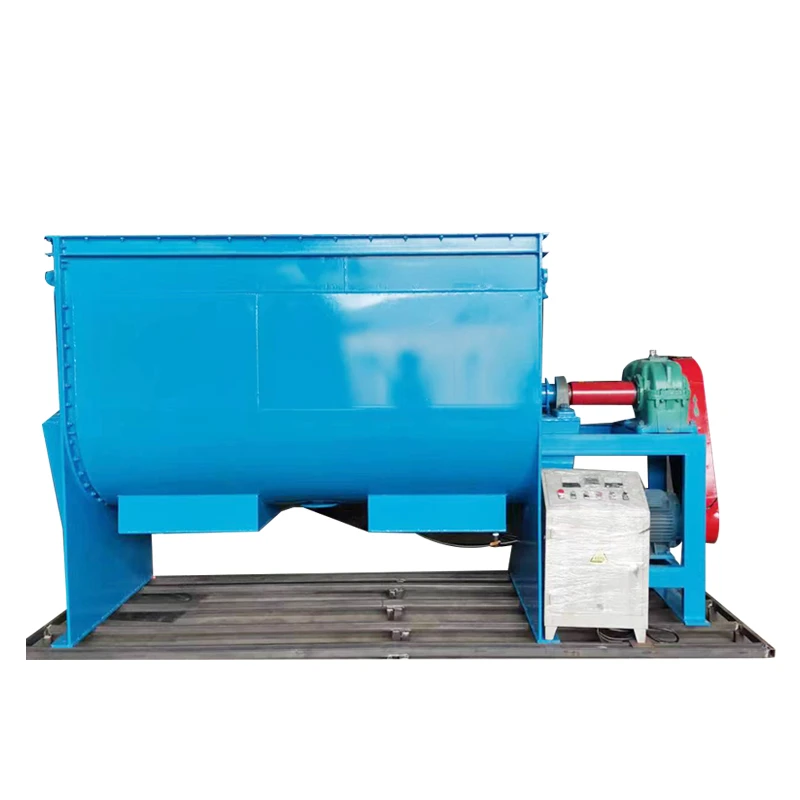
In some cases, you might want to integrate your torque testing system with other equipment in your production line. For example, you might want to connect it to a Stainless Steel Horizontal Mixer to ensure that the mixing process is not affecting the torque values of your products.
Our torque testers and the associated software can be configured to work in harmony with other equipment. This integration allows for a more comprehensive quality control process, where you can monitor multiple aspects of your production simultaneously.
Safety and Regulatory Compliance
When it comes to torque testing, safety and regulatory compliance are of utmost importance. The software you use should be able to help you meet these requirements.
For example, some industries have strict regulations regarding the accuracy of torque measurements. Our software is designed to meet these standards. It has built - in calibration features to ensure that the torque tester is providing accurate readings. It also allows you to generate audit - ready reports, which can be useful for regulatory inspections.
Cost
Cost is always a factor when choosing software. Manufacturer - specific software is usually included with the purchase of the torque tester or available at a relatively low cost. General - purpose data acquisition software and third - party analysis software can be more expensive, especially if you need advanced features or licenses for multiple users.
However, it's important to consider the long - term benefits. Investing in good software can improve the efficiency of your testing processes, reduce errors, and ultimately save you money in the long run.
Related Equipment and Their Software Needs
If you're in the manufacturing industry, you might also be interested in other types of equipment. For example, a Propylene Oxide Solvent Recovery Machine or a Small Desktop Sterilizer also require software for proper operation and monitoring.
Just like with torque testers, these machines often come with their own software or can be integrated with general - purpose software. The software for these machines helps in controlling the process parameters, such as temperature, pressure, and time, and in collecting and analyzing the relevant data.
Conclusion
Connecting a torque tester to a computer is an essential step for modern manufacturing and testing processes. The right software can make a big difference in terms of efficiency, accuracy, and data analysis. Whether you choose manufacturer - specific software, general - purpose data acquisition software, or third - party analysis software, make sure it meets your specific needs in terms of compatibility, features, and cost.
If you're interested in learning more about our torque testers and the software we offer, or if you have any questions about connecting your torque tester to a computer, don't hesitate to get in touch. We're here to help you find the best solution for your business.
References
- "Data Acquisition Handbook" by National Instruments
- "Practical Guide to Torque Testing" by industry experts in the field of torque measurement


